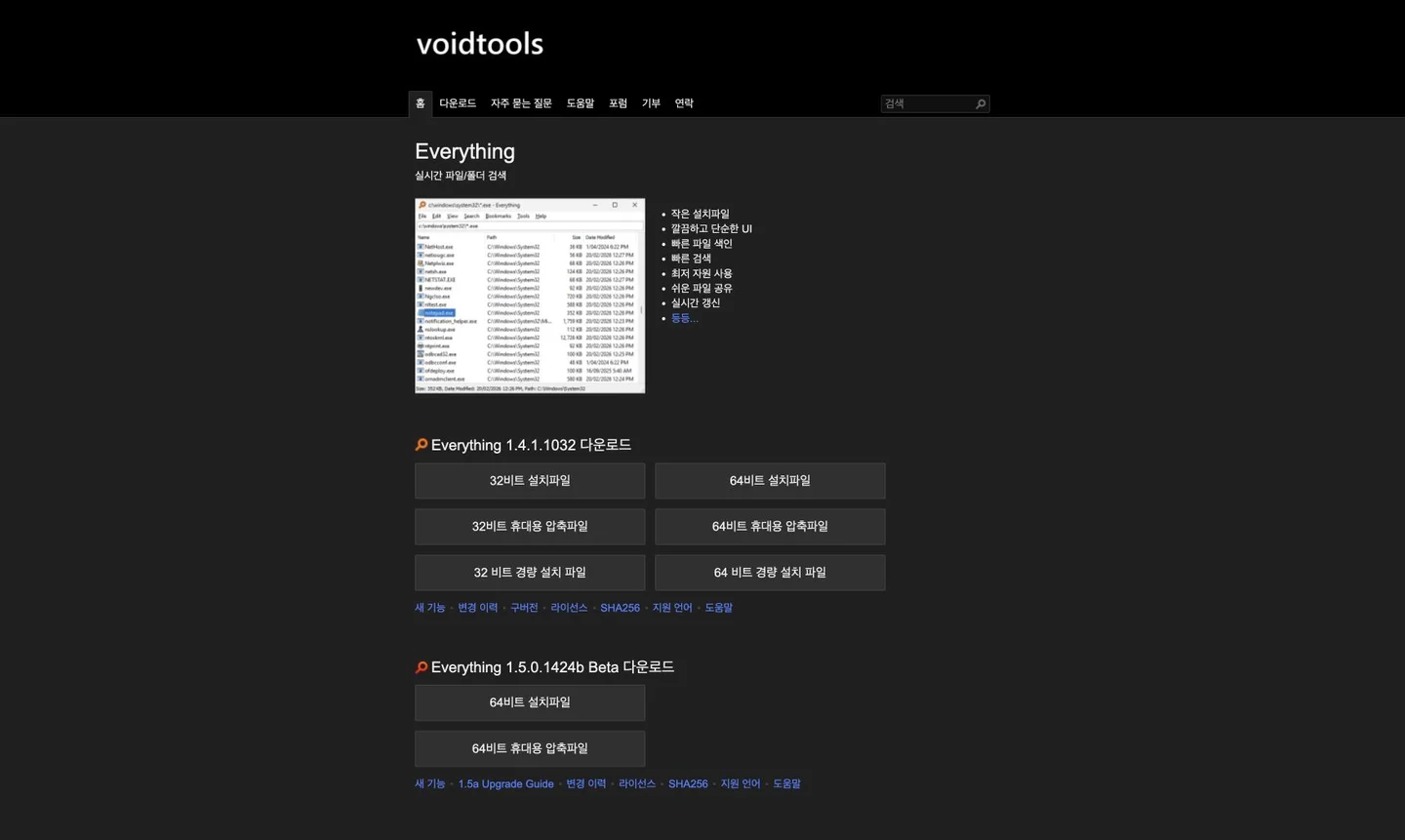
Everything guide: find Windows files by part of a name
Find a forgotten download or document by name, extension and path with a free Windows search tool. Check setup and index coverage.
What can you do with it?
If finding an old PDF means opening folder after folder, try searching the filename first. Everything indexes Windows file and folder names and paths, narrowing results as you type. Combine part of a remembered name with an extension instead of recalling the complete filename. This differs from pre-indexing every sentence inside documents. Open a result or check its containing folder before organising it.
Key features
Combine name fragments, extensions and paths
Local filename index updated with file changes
Installer, portable and multilingual editions
Getting started
- Use the official download page and distinguish the stable release from beta. Choose the Windows architecture and installer or portable edition that fits. Basic search needs no online account.
- Allow the first filename index to finish. The official setup recommends the Everything service for NTFS indexing while the search window runs as a standard user. Check index or folder inclusion when an external or non-NTFS drive is missing.
- Type a remembered word, then add an extension if results are broad. For example, invoice *.pdf looks for PDFs with invoice in the name. Narrow the path or sort date and size columns; inspect the location and file before deleting anything.
- If you remember text inside a document rather than its name, read the content: search guide. It reads file contents and can be slower; format support also varies. Reduce candidates by folder, extension or date first.
- Bookmark frequently used locations or queries. Clearing a search is not deleting a result file. Before organising files check their paths and selection count, and review search and run history settings on a shared computer.
Before you use it
- Everything is free-to-use Windows application for Windows. Stable and beta downloads coexist; follow instructions for your version. It is not a macOS or phone app.
- Default search uses a local index of names and paths. Content search is separate, not instant search inside every document. Excluded locations or disconnected drives may not appear.
- The index and search/run histories are stored locally. Optional update checks can contact the website; enabling HTTP, ETP or FTP servers changes remote access. Those servers or firewall changes are unnecessary for ordinary local searching.
 www.voidtools.comEverythingFind a forgotten download or document by name, extension and path with a free Windows search tool. Check setup and index coverage. Open official page
 Sources consulted
- Everything — Official overview ↗
- Everything — Downloads ↗
- Everything — Installation ↗
- Everything — Searching ↗
- Everything — Privacy ↗
Sources checked
Based on public documentation; not a full functional or security audit.